The Tome iPhone app is on TestFlight
Tome now has a native iPhone app: it pairs with your own Tome server and gives you the library, the series, your reading stats and a reader on the phone. It is in open beta on TestFlight; a paid App Store release comes later. The beta stays free through the end of 2026.

No server at hand? "Try a sample library" on the first screen pairs with a small library built into the app: fourteen public-domain books from Standard Ebooks with a made-up reading history. Every screen below is that sample library.
Most of the last weeks went into one complaint: screens that loaded in pieces. Covers popped in, sections pushed each other down, Series and Library could come back half empty for a moment. Each screen now opens with what it showed last time and updates in place, so what you see first is what stays.
Every pair below is the Dark theme on the left and Amber on the right.
Home
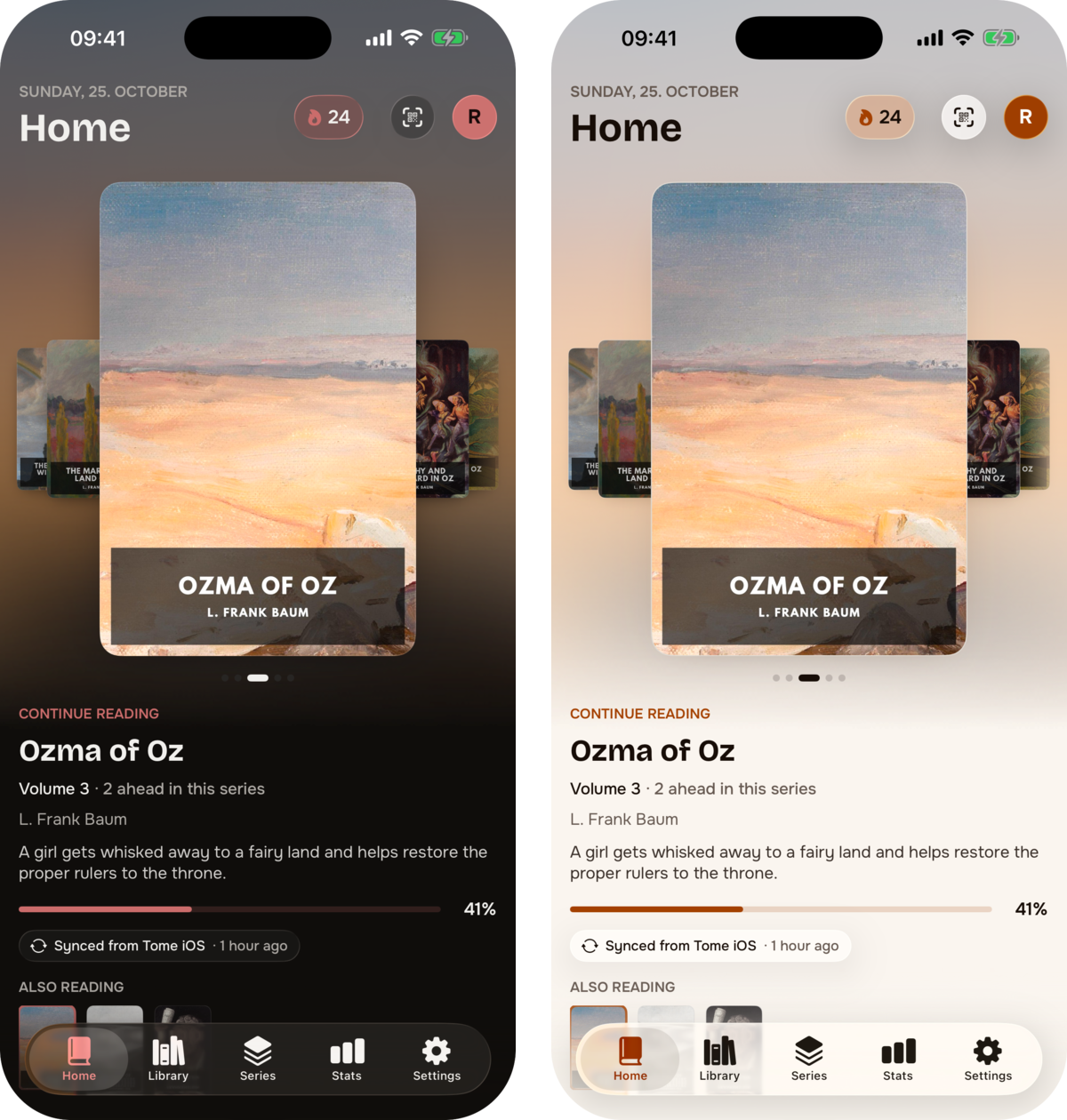
- The cover fan and Continue reading are there at launch, whole. Covers come from the phone's disk first instead of waiting on the network.
- Pulling down at the top bounces, and the cover wash behind it follows instead of ending in a hard edge.
- If the server is down, your avatar and the last state of Home are still there.
Library
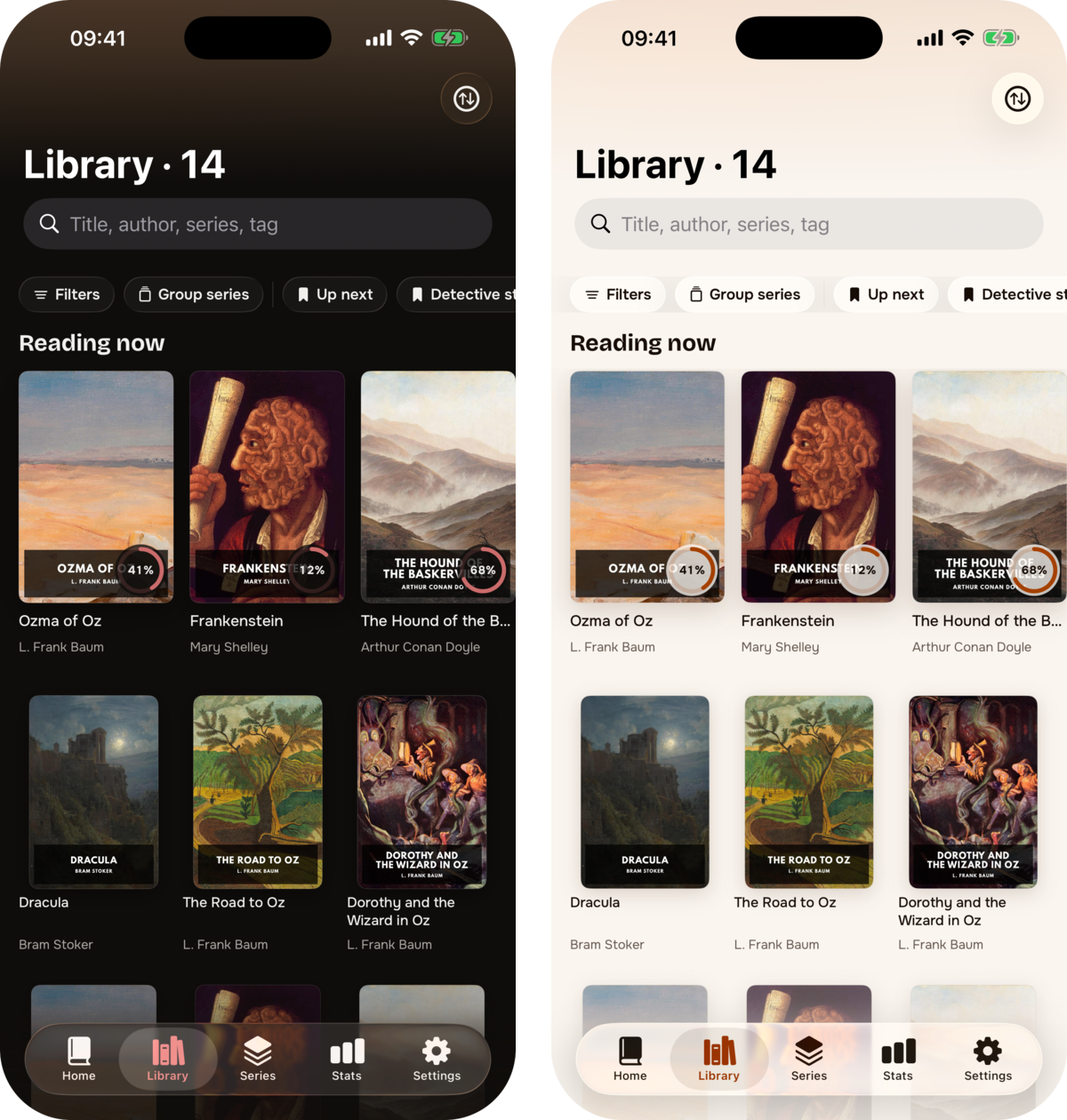
- A Reading now shelf at the top with a progress ring on each cover.
- Grouped series show as a small fanned stack of the next volumes.
- The page takes its colour from the first cover on screen.
Series
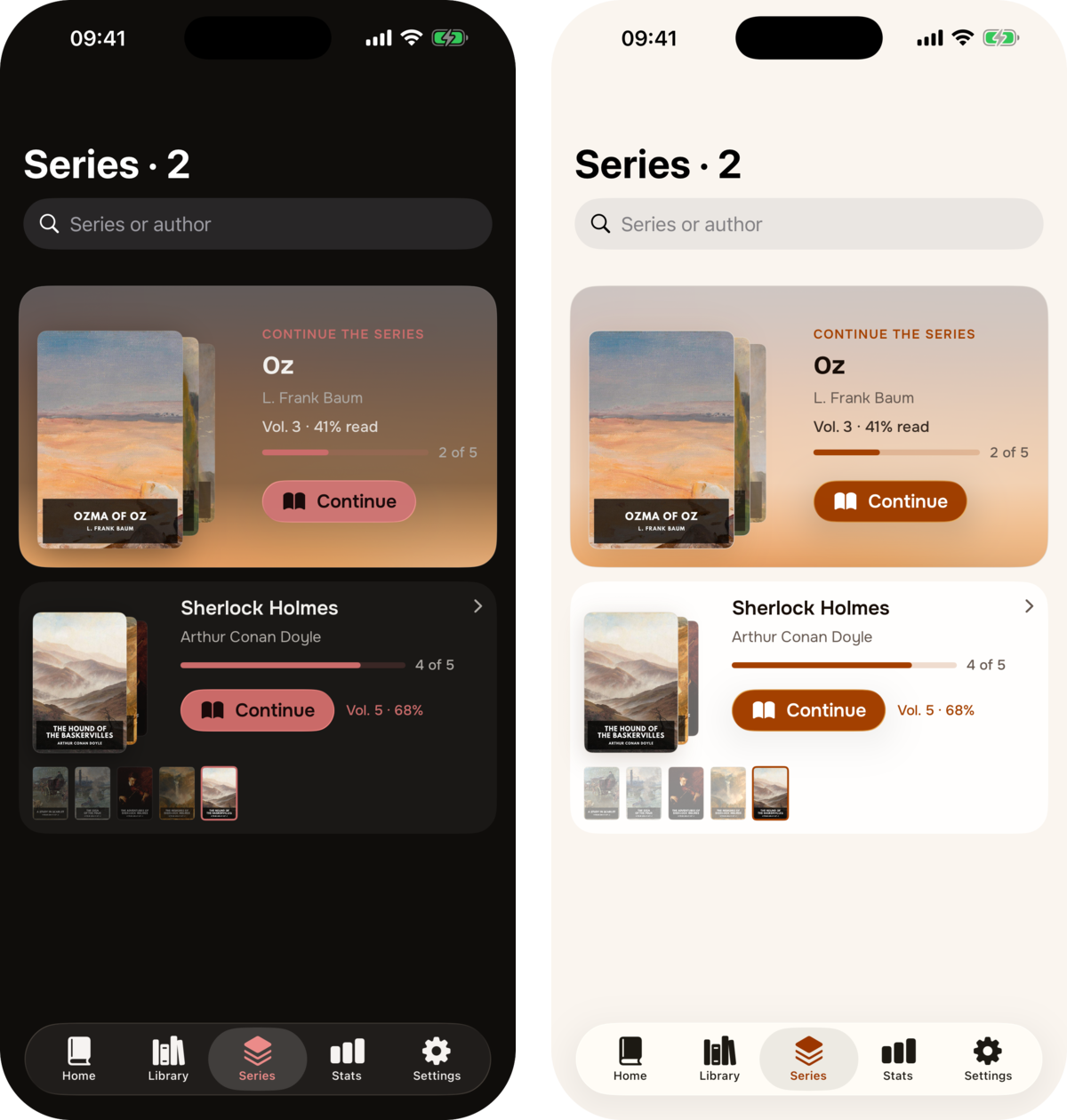
- Each series is a card: the volume you are on (or the next unread one) in front, the read ones behind it, and how far you are.
- Series with two or more volumes get a strip of all their covers under the card, with the current one marked.
- The series you are in the middle of gets the large card at the top with a Continue button.
A series page
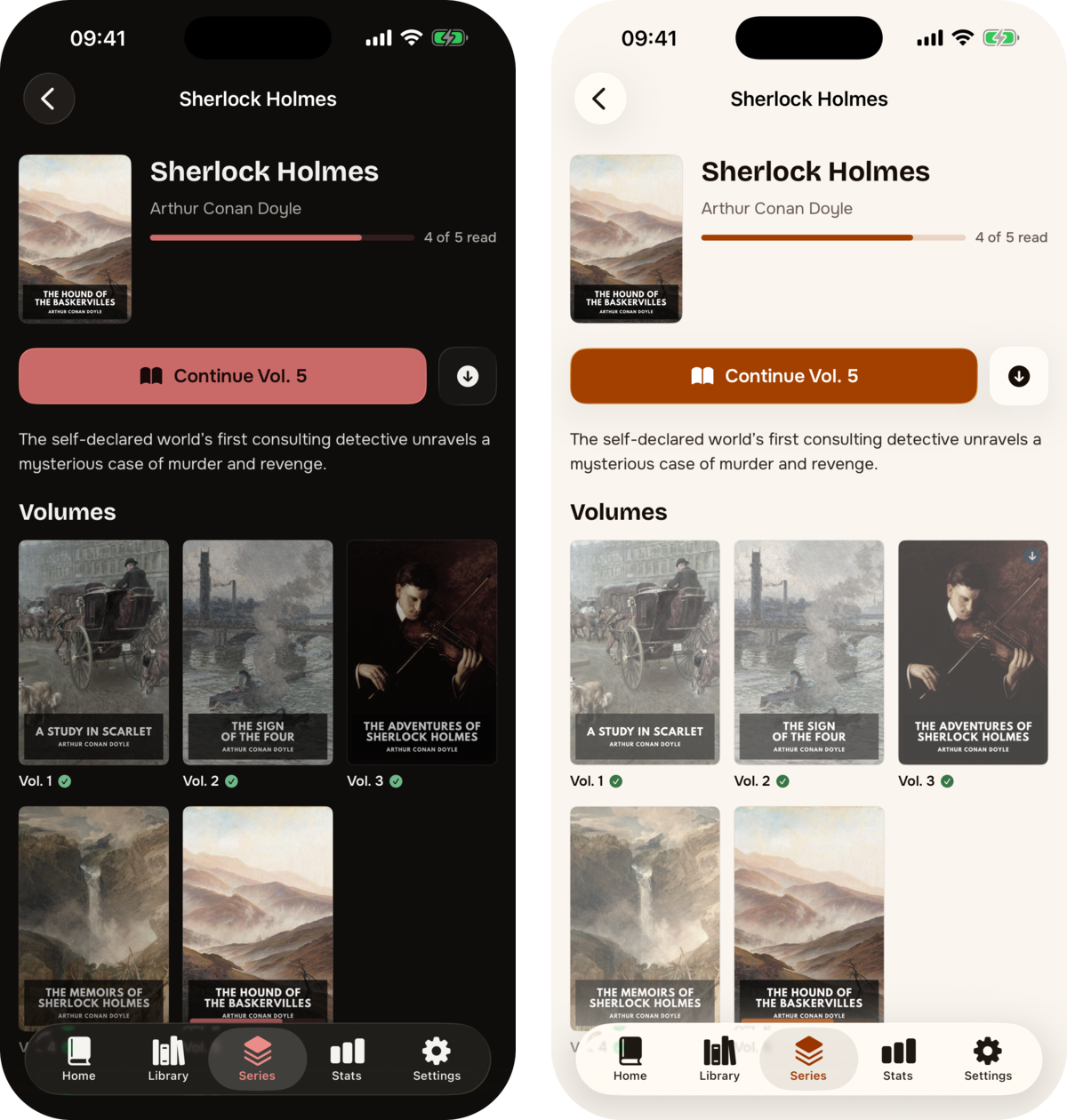
- Progress, the series rating and a Continue button for the right volume, then every volume with its read state.
- The page opens drawn from what the phone remembers and does not shift when the server answers.
Stats
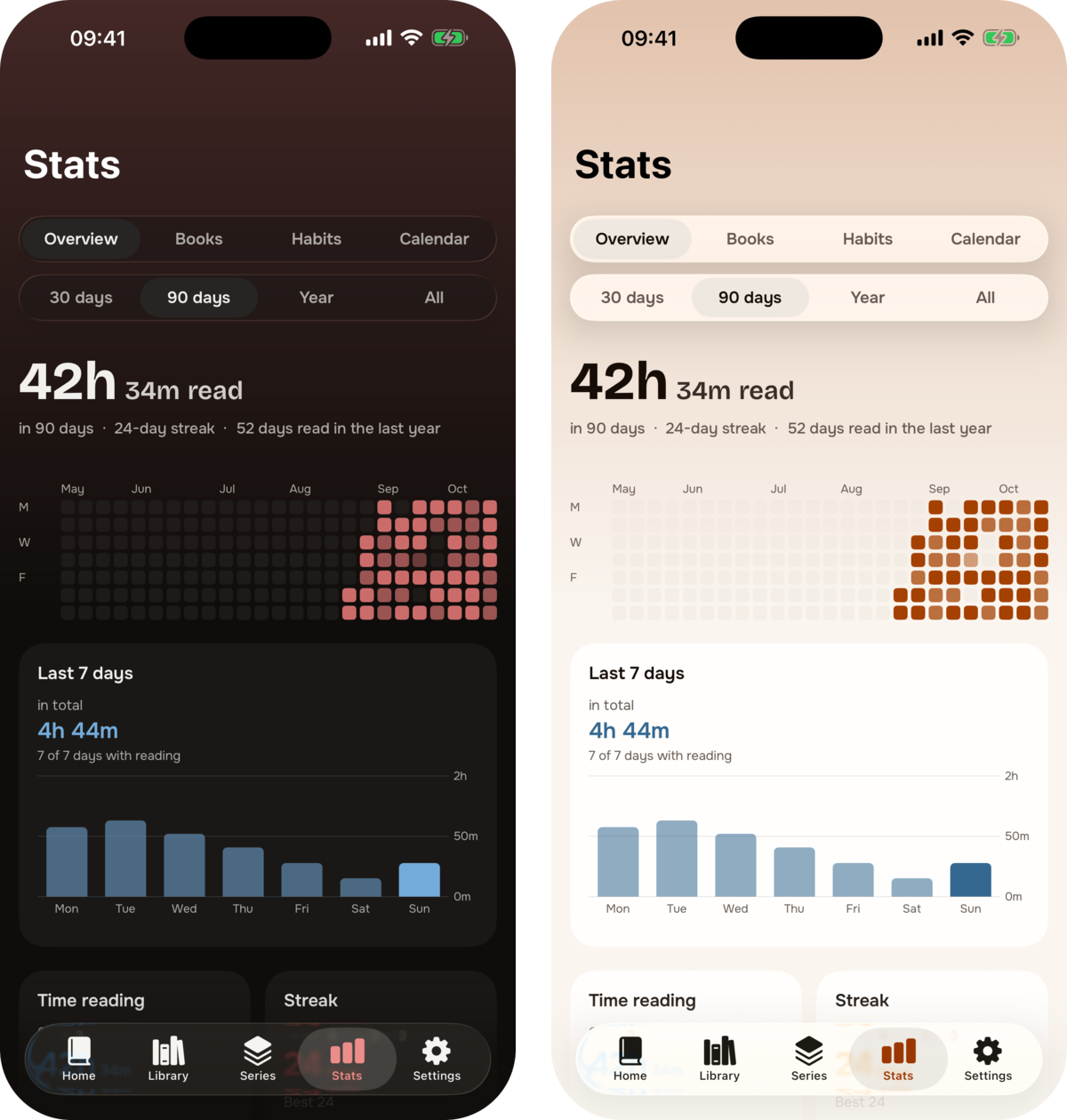
Stats is rebuilt and split into four tabs: Overview, Books, Habits and Calendar.
- Overview: total reading time for the range, a year of days as a grid, the last seven days, and the headline tiles.
- Every chart has a readout: hold and drag across it to read the exact value.
- Calendar: tap a day in the year grid to see what you read that day. It also shows reading by weekday and your best month and best day.
- Books: completion by type and re-reads, next to what was already there.
- It scrolls smoothly now, which it did not before.
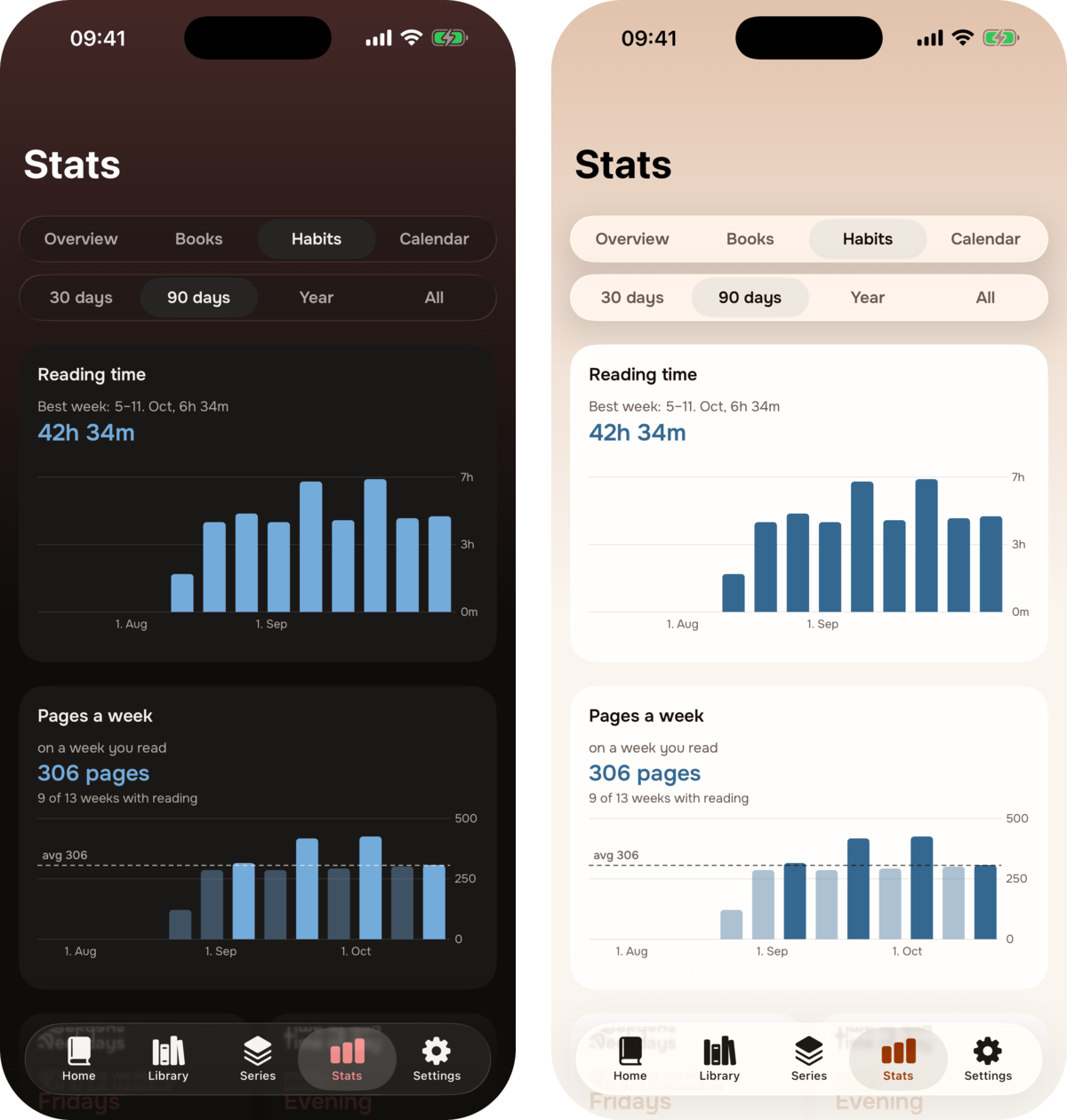
- Habits: reading time and pages per week, weekdays and time of day, recent sessions hour by hour, your streaks with the dates they ran, and reading time by language.
Reading
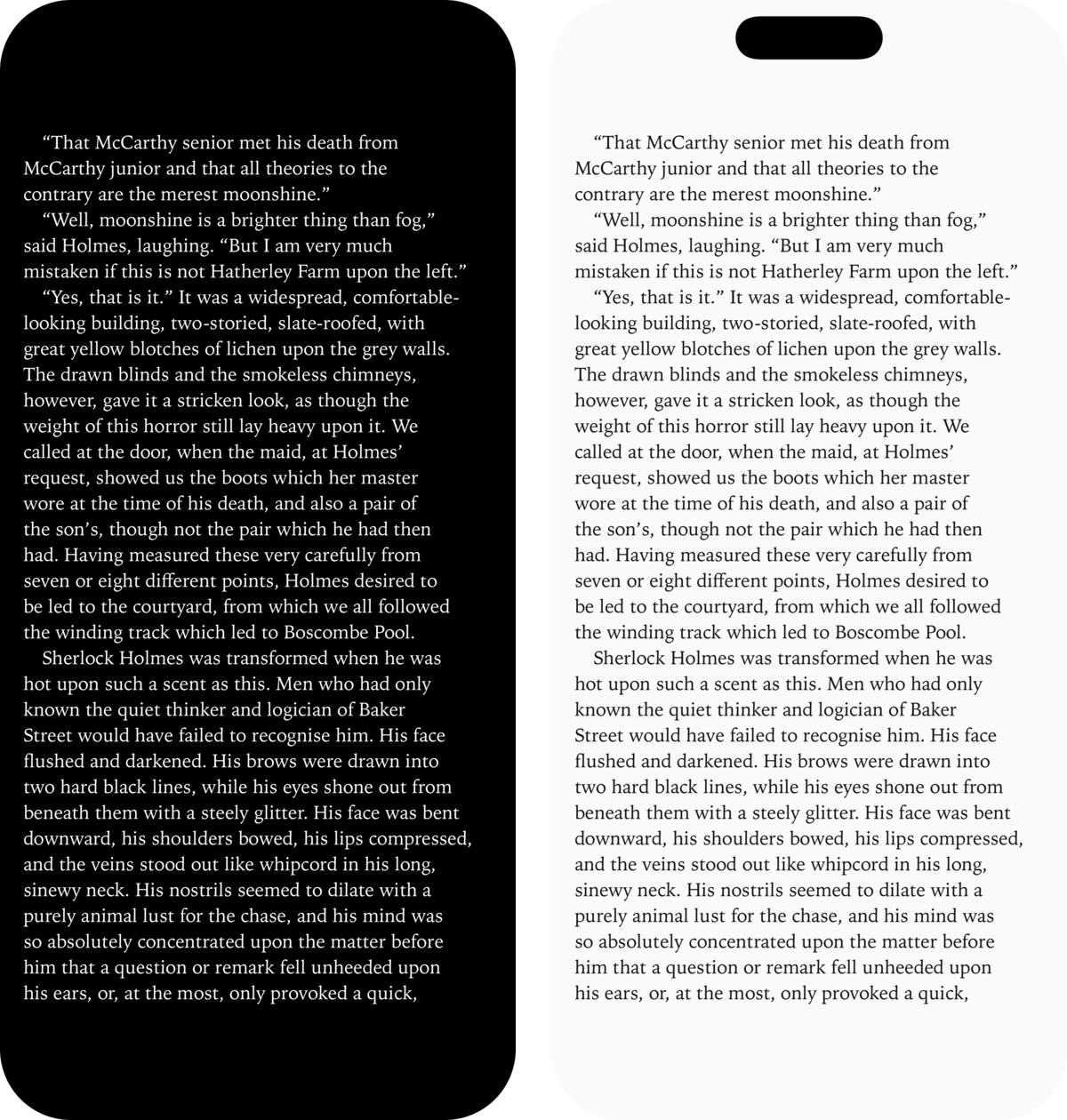
- EPUB and PDF are read with Readium; comics (CBZ) have their own pager with left-to-right, right-to-left and vertical modes.
- Opening a book is one move now: the reader appears at the tap on the cover's colour with the title, and the page fades in once it is laid out, instead of a black screen with a spinner.
- The reader's own themes (dark, sepia, light) are separate from the app theme; the right-hand shot uses sepia.
Settings
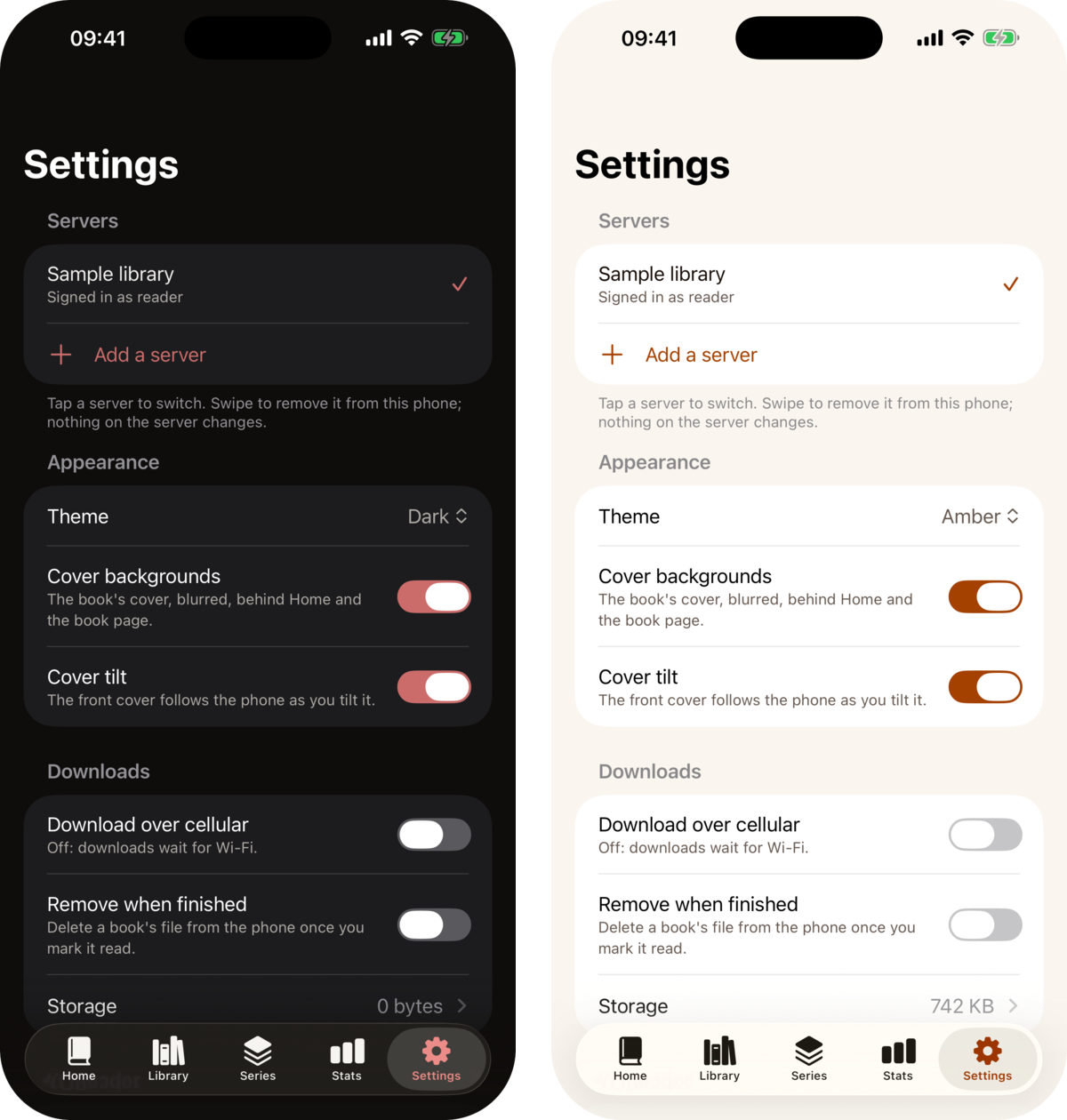
- Five app themes: Dark, Ember, Black, Light and Amber.
- Storage shows what is on the phone right away, plus the size of the cache and a button to clear it.
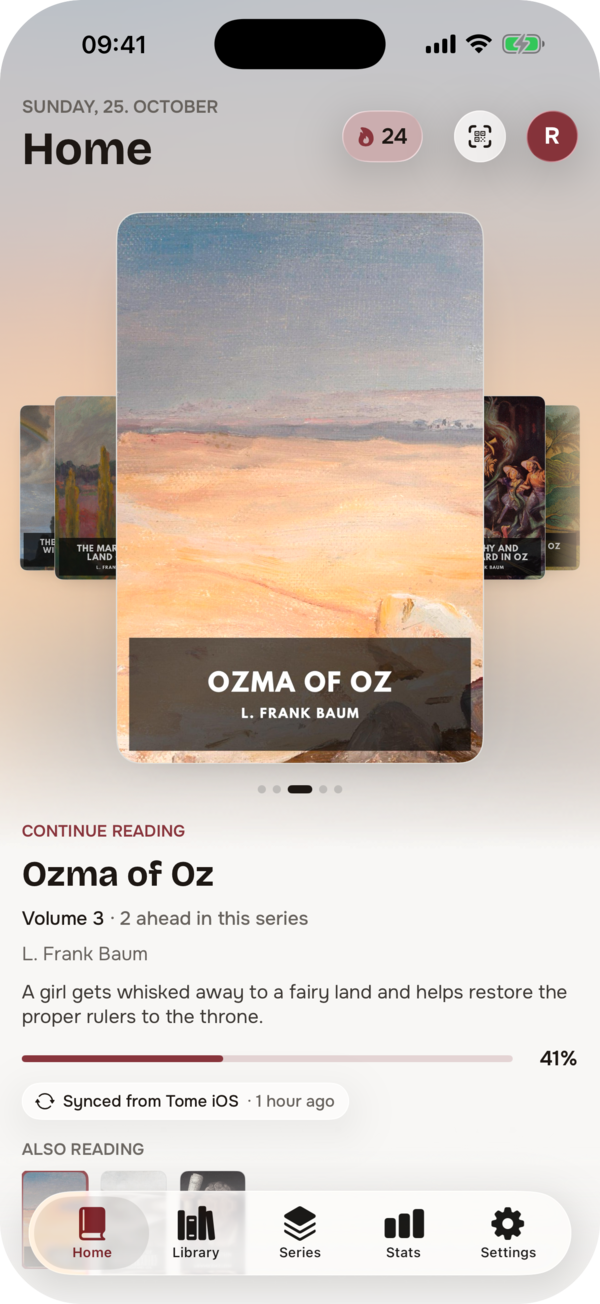
Home in the Light theme.
Also new and improved
- When the server cannot be reached, screens keep showing what the phone remembers, with a small notice saying so, how old it is, and a retry.
- After you change a status or a rating, screens no longer show the older copy from the phone's memory.
- Caches stay bounded: covers and backgrounds are capped at 200 MB, oldest first, and remembered data for servers other than the one you are using is dropped after 30 days.
- Dynamic Type: text scales with your system text size, and the larger accessibility sizes rearrange headers and tiles instead of cutting them off.
- VoiceOver: charts, the year grid, stars, covers and buttons that were silent have labels and summaries.
- Reduce Motion is respected across the app: pulses, parallax, rolling numbers and springs calm down.
- Better contrast on accented buttons and coloured cards in all themes.
- Highlights on a book page sit below the details, so nothing jumps when they arrive.
Known limits
- iPhone only. No iPad layout yet.
- You need your own Tome server. Parts that a server does not support yet (series arcs, some of the newer stats) stay hidden or show a note; keep Tome up to date to get all of it.
- TestFlight builds expire after 90 days. New builds replace them before that.
Feedback
Bugs, ideas and questions go to the Tome Reader (iOS) category in GitHub Discussions; Settings in the app has a link to it. If you would rather not post publicly, mail tome@bndct.dev. Please mention the version and build number from Settings › About.