Getting started
Welcome to Tome
Most library servers stop at file management. Tome connects to your e-reader, records every reading session, syncs positions both ways, and turns it into stats that get sharper the more you read. These docs are how you get there.
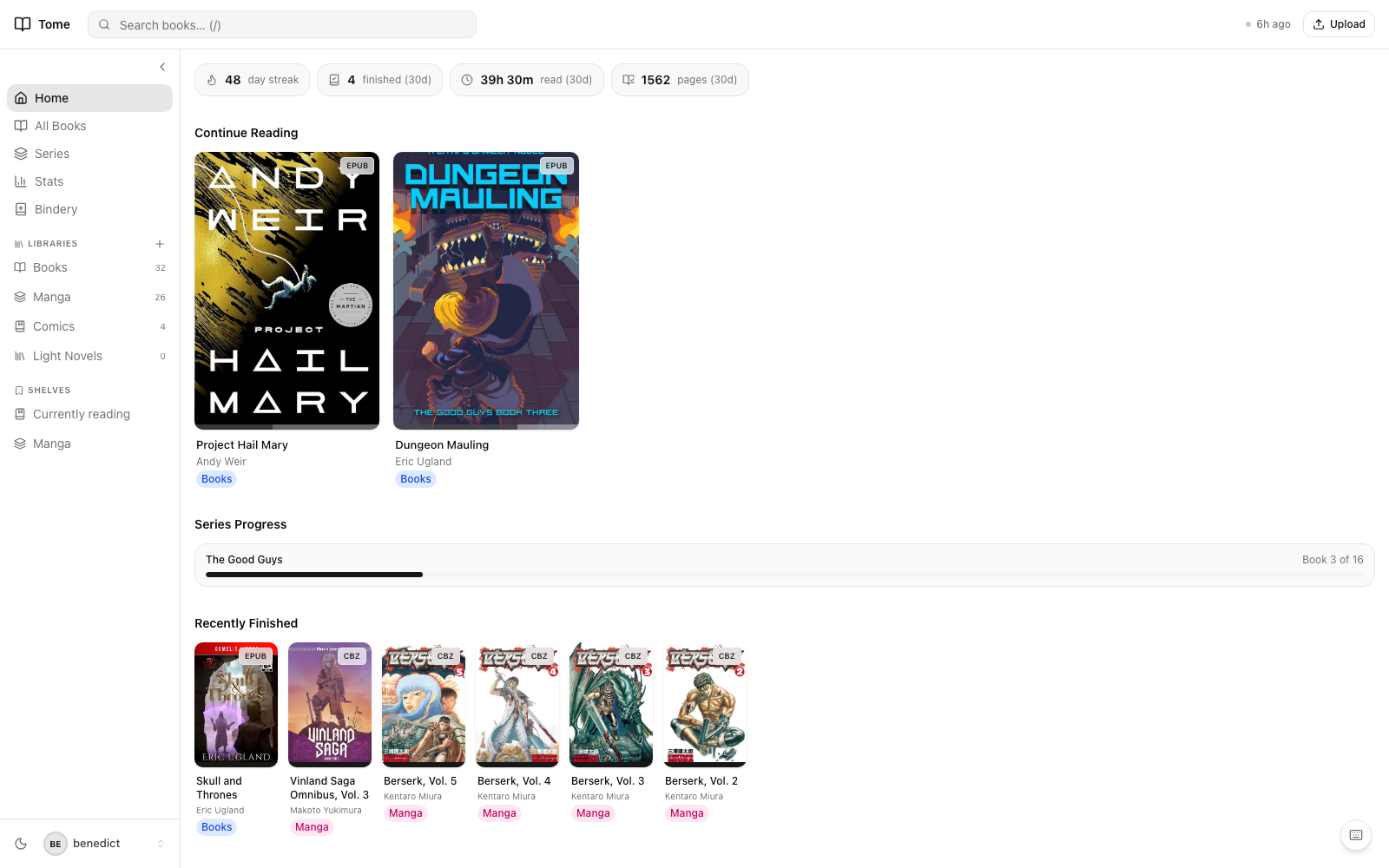
Pick a path
- Step 1
Install
One Docker image, three volume mounts, no external services. 5 minutes.
- Step 2
First-run setup
Admin account, library scan, your first book on the dashboard.
- Step 3
KOReader plugin
Pre-configured download, drop in, done. The thing that makes Tome more than just a library.
- Step 4
Reading stats
Streaks, heatmaps, completion estimates. What every minute of reading turns into.
If you already have Tome running
- Series & arcs — how Tome groups manga, light novels, and multi-volume sagas.
- Calendar — every month of your reading as a calendar, with what each day looked like.
- Bindery — the drop folder for automatic and manual imports.
- Built-in reader — EPUB + CBZ readers, with position sync to KOReader.
- Users & roles — share with family, friends, or kids without leaking the adult shelf.
Power users
- Scribe — a Claude Code skill for bulk ingest, metadata audits, and series-level annotation. Alpha.
- API tokens — use any
/api/*endpoint from your own scripts. - OPDS feed — point any OPDS-aware reader at Tome.
- Configuration — every environment variable and what it does.
Stuck?
Check Troubleshooting first — most common issues are listed there with a fix. If yours isn't, searchexisting issues or open a new one.