Themes & shortcuts
Tome ships with five built-in themes and supports fully custom colour palettes. Keyboard shortcuts are available on every page for quick navigation.
Built-in themes
The lineup is a neutral pair, a warm pair, and true black for OLED. Switch themes from the user menu in the sidebar (desktop) or the bottom drawer (mobile). The active theme is stored per-browser in localStorage.
- Light — warm paper neutrals with Tome's oxblood accent
- Dark — near-neutral dark with a dusty rosewood accent, easy on late-night reading
- Amber — warm cream and burnt orange, a parchment feel
- Ember — a cappuccino dark: espresso surfaces, same rosewood accent
- Black — true-black surfaces for OLED screens
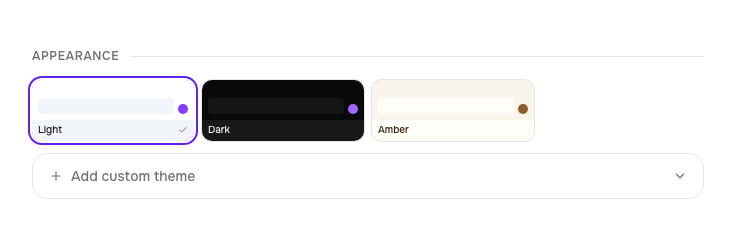
Custom themes
In Settings, scroll to the theme section and click New custom theme. You provide 10 hex colour values that define every surface in the UI:
- Background, foreground, card
- Primary, primary foreground
- Muted, muted foreground
- Accent, border, destructive
Name your theme, mark it as dark or light (so Tailwind's dark: variants apply correctly), and save. Custom themes appear in the theme picker alongside the built-in ones.
Example palettes — copy and paste into the color input
The 10 values map to: background, foreground, card, primary, primary-foreground, muted, muted-foreground, accent, border, destructive.
Nord
#2E3440, #D8DEE9, #3B4252, #88C0D0, #2E3440, #4C566A, #D8DEE9, #81A1C1, #4C566A, #BF616ACatppuccin Mocha
#1E1E2E, #CDD6F4, #313244, #CBA6F7, #1E1E2E, #45475A, #A6ADC8, #B4BEFE, #45475A, #F38BA8Solarized Light
#FDF6E3, #657B83, #EEE8D5, #268BD2, #FDF6E3, #EEE8D5, #93A1A1, #2AA198, #93A1A1, #DC322FRosé Pine
#191724, #E0DEF4, #1F1D2E, #C4A7E7, #191724, #26233A, #908CAA, #F6C177, #26233A, #EB6F92Language
The web UI is translatable. Pick a language under Settings → Appearance → Language; on a first visit Tome uses your browser's language when a catalog for it exists, and English otherwise. The choice is stored per browser, like the theme.
English is the source and always complete. Every other language is a community-maintained catalog, and anything not yet translated falls back to English, so a partly translated language is still usable. Simplified Chinese ships as a starting point. The KOReader plugin, the OPDS feed and this website stay English for now.
Want your language in the picker, or the existing one finished? It's a single.po file and a pull request — seedocs/translating.md.
Keyboard shortcuts
Press ? anywhere to open the keyboard shortcuts modal. Here's the full list:
Dashboard
| Key | Action |
|---|---|
/ | Focus search |
j or ↓ | Next book |
k or ↑ | Previous book |
Enter | Open selected book |
Esc | Clear selection / blur search |
Book detail
| Key | Action |
|---|---|
r | Open reader |
e | Toggle metadata editor |
Esc | Go back |
Reader
| Key | Action |
|---|---|
← or ↑ | Previous page |
→ or ↓ | Next page |
Calendar
| Key | Action |
|---|---|
← / → | Previous / next day |
Shift + ← / → | Previous / next month |
t | Jump to today |
Esc | Close the day |