Scribe
Scribe is Tome's Claude Code Skill — an LLM-driven ingest and metadata tool that runs as a slash command inside Claude Code. It dedupes by content hash, looks up canonical series/author/type from existing books, fetches metadata candidates, applies high-confidence matches automatically, and surfaces ambiguous ones for review.
Install
- Make sure Claude Code is installed locally.
- From your Tome checkout, run the install script — it symlinks
skills/scribeinto~/.claude/skills/scribe. - Restart Claude Code.
/scribeappears as a slash command.
# In your local Tome checkout:
./skills/scribe/install.sh

# That symlinks skills/scribe into ~/.claude/skills/scribe so Claude Code
# picks up the /scribe slash command on next launch.
Authentication
Scribe needs an API token to talk to your Tome server. Issue one in Settings → API tokens, then drop it into~/.config/tome/scribe.json.
# ~/.config/tome/scribe.json — multi-profile config
{
  "profiles": {
    "dev": {
      "base_url": "http://localhost:8080",
      "token":    "tome_dev_…"
    },
    "prod": {
      "base_url": "https://tome.example.com",
      "token":    "tome_prod_…"
    }
  },
  "default": "dev"
}
Profiles let you point Scribe at multiple Tome instances. When more than one profile is defined, Scribe asks which to use before every run — it never guesses with "dev" then blasts your prod library.
The four modes
# In Claude Code:
/scribe ~/Downloads/manga-batch
# → extracts metadata, dedupes by hash, ingests, fetches candidates
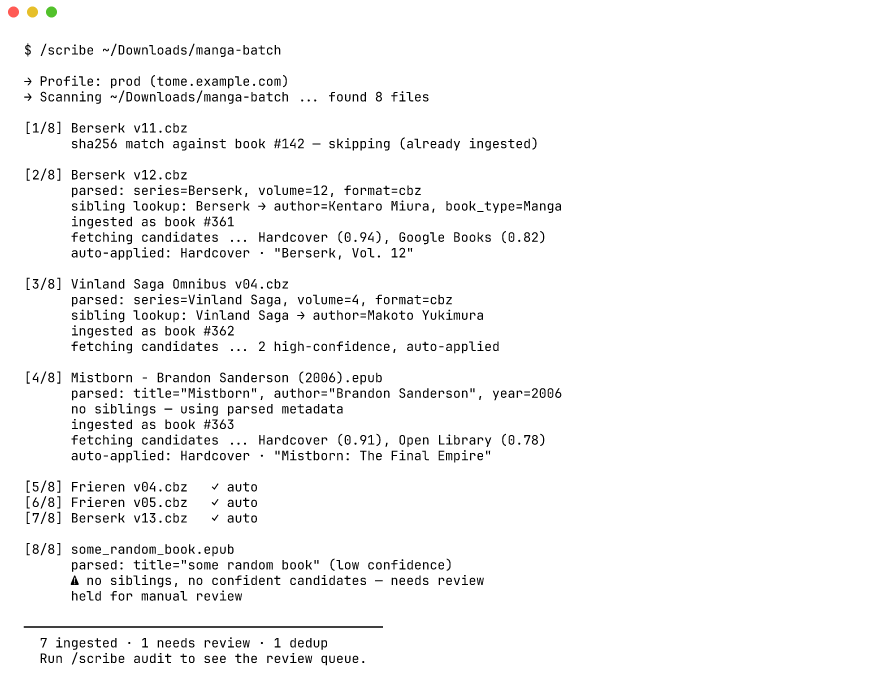
Ingest — /scribe <path>
Walks a folder, extracts metadata from each file (EPUB OPF, CBZ ComicInfo.xml, PDF info), deduplicates against existing books by content hash, looks up canonical author/series/book-type from siblings already in your library, then POSTs each new book to/api/books/ingest. Per book, Scribe fetches description and cover candidates from Hardcover / Google Books / Open Library — high-confidence matches auto-apply, ambiguous ones get surfaced for your review.
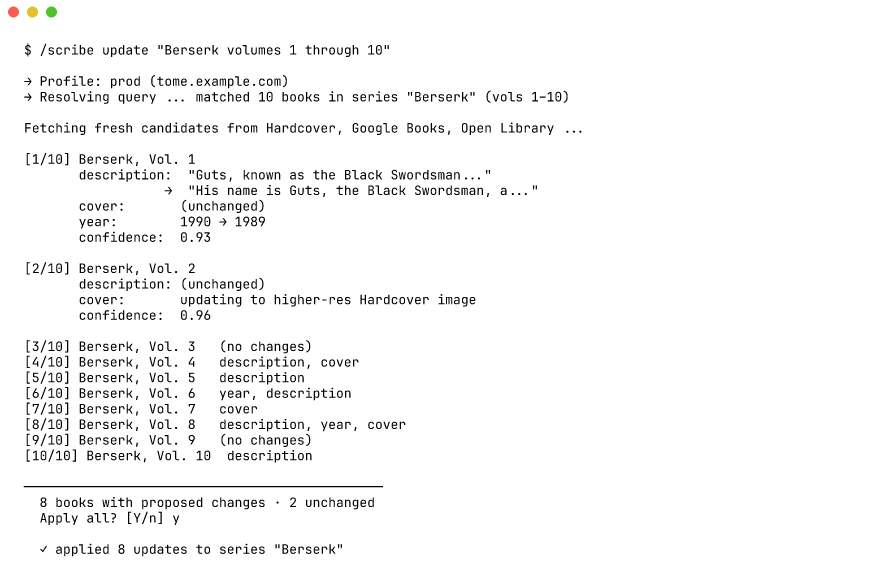
Update — /scribe update <query>
Re-fetches metadata for existing books matching a natural-language query. Scribe shows a diff before applying — old vs new title, description, cover URL — so you can reject bad matches.
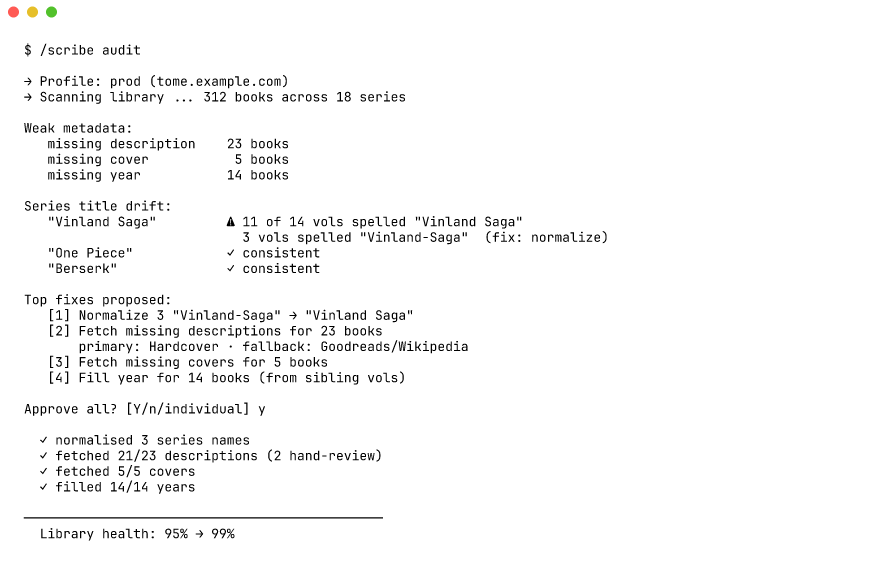
Audit — /scribe audit [scope]
Scans your library for weak metadata (missing description, missing year, missing cover) and for series-name drift (volumes that don't agree on the canonical series spelling). For missing descriptions, Scribe falls back to a web search on Goodreads / Wikipedia / the publisher's site when the metadata APIs come up empty. Fixes are batched into a single approve-or-reject pass.
Two specialised passes: /scribe audit years compares stored years against Open Library's first-publication year (catching reprint years on classics), and/scribe audit editions finds books whose stored ISBN belongs to the wrong edition of their series — a light novel carrying its manga adaptation's ISBN — and proposes the correct edition's ISBN, publisher, year and description.
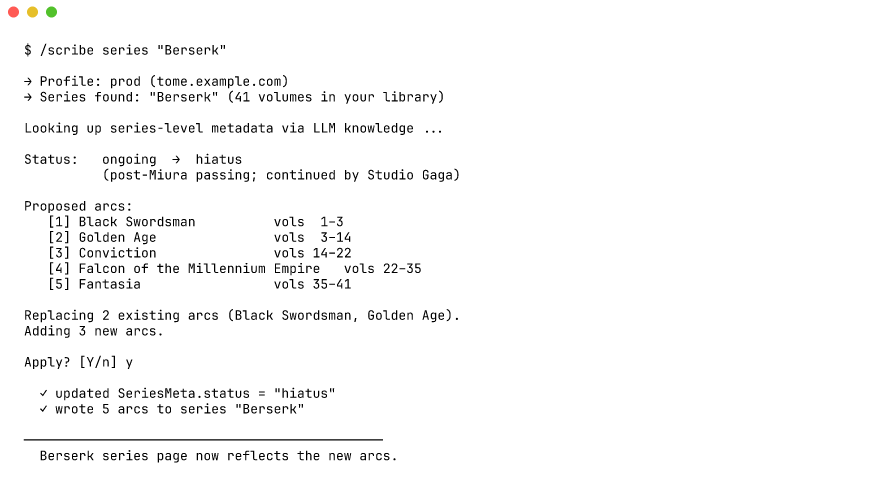
Series — /scribe series <name>
Fills SeriesMeta (status: ongoing / finished / hiatus) and creates Arc records from LLM knowledge of the series. Good for Berserk-class long runners where defining arcs by hand is tedious.