Bindery
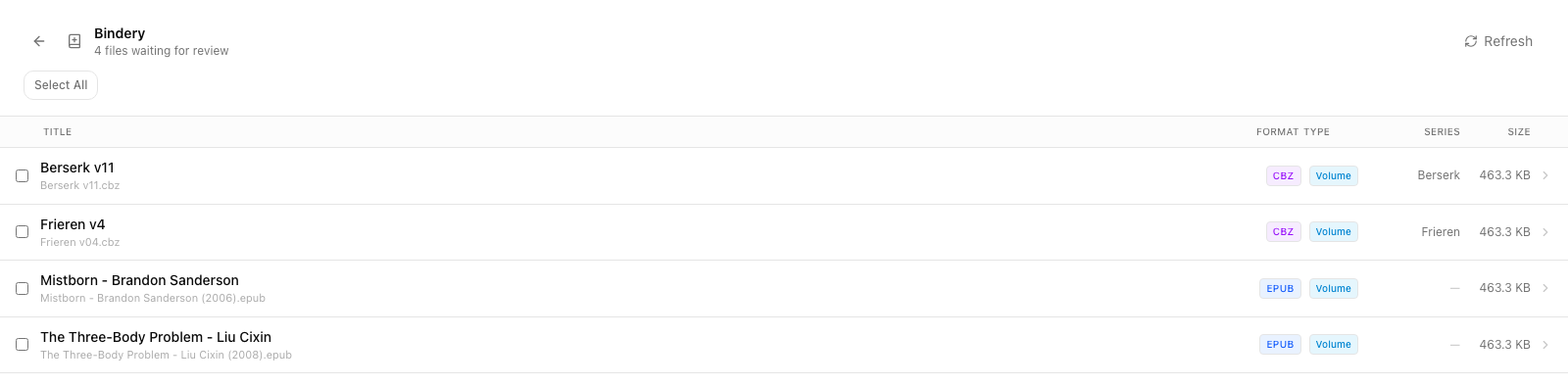
Bindery is Tome's incoming-file pipeline. Drop EPUBs, CBZs, CBRs, or PDFs into the directory mounted at /bindery (or wherever TOME_INCOMING_DIR points) and Tome handles metadata extraction, cover fetch, duplicate detection, and library assignment. You decide whether ingestion is gated on a manual review or runs automatically on a timer.
Two modes
# docker-compose.yml — manual review (default)
services:
  tome:
    image: ghcr.io/bndct-devops/tome:latest
    volumes:
      - ./data:/data
      - ./books:/books
      - ./bindery:/bindery   # ← drop files here
    # No TOME_AUTO_IMPORT — manual is the default
Manual review
Default behavior, recommended for any library you care about. Files arrive in/bindery, get parsed, and queue up in Admin → Unreviewed. An admin opens each entry, eyeballs the detected metadata, edits if necessary, and clicksAccept — only then does the book move into the canonical library folder and become visible to non-admin users.
- Copy files into
/bindery(cp, rsync, smb, whatever). - Tome detects them within a few seconds and parses metadata from the file + filename.
- They appear in Admin → Unreviewed with a counter badge in the sidebar.
- Open each, check the detected title / author / series / volume. Use Fetch metadata to populate description and cover.
- Click Accept to publish, or Reject to delete the file from
/bindery.
Reviewing a batch
Select several files and hit Review for a batch view: shared fields (series, author, book type, libraries) with per-fieldApply to all, plus a compact row per file.
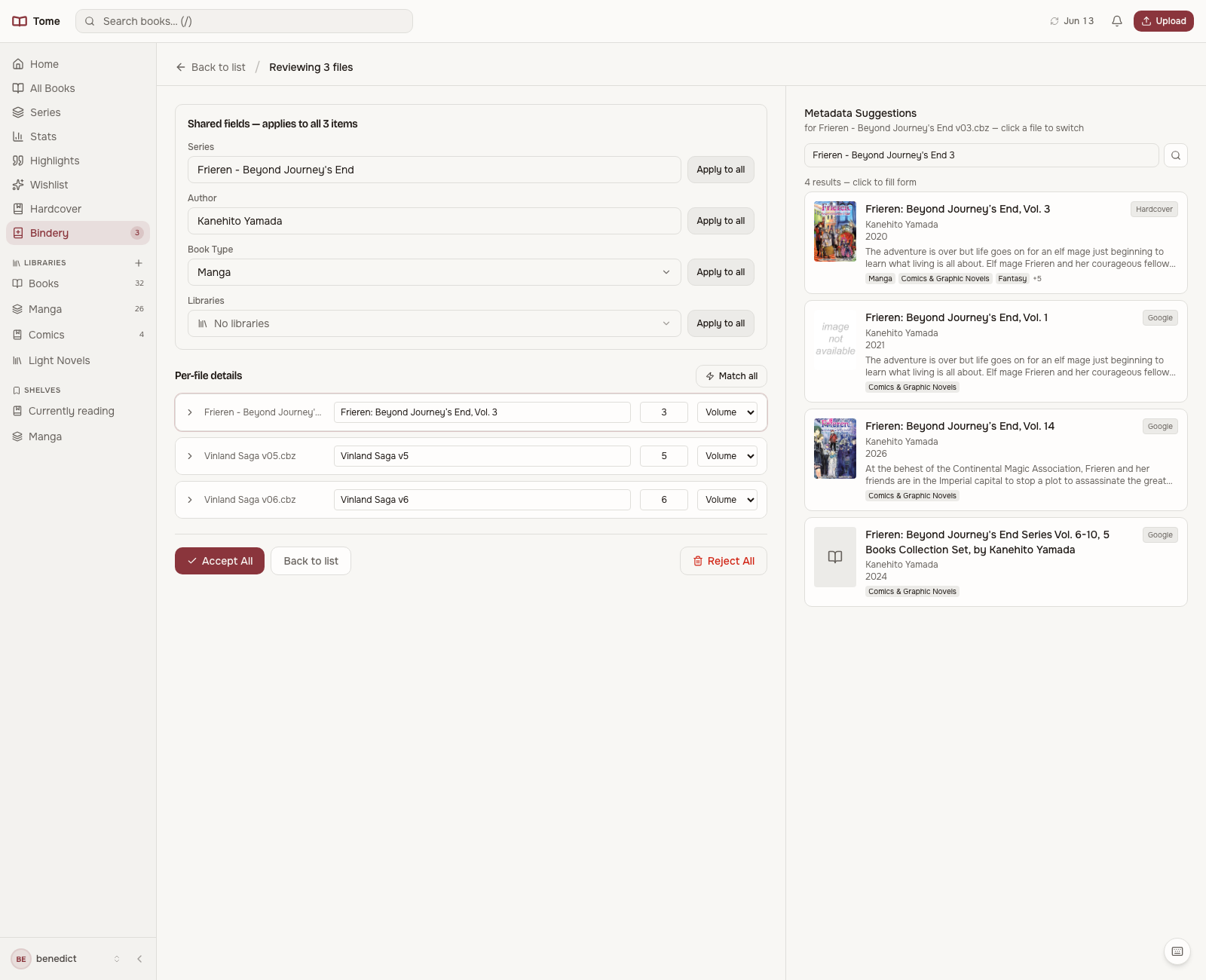
- Libraries in one step — pick the libraries a book should land in right in the review form (or for the whole batch), instead of filing each book afterwards from its detail page. The book type's own library is always added automatically. There's also anAdd to libraries picker in the Bindery toolbar itself: set it once and the next Quick Accept or Review run files everything into those libraries, then it resets.
- Per-file suggestions — the metadata suggestions panel targets whichever file row you click (the active row is highlighted); its search re-seeds for that file and clicking a candidate fills that file's form.
- Match all — fetches and applies the best candidate to every file in the batch. Trust the matcher, eyeball the rows, Accept All.
If you fully trust the matches, skip review entirely: select files and useQuick Accept — it fetches, applies the best candidate, and accepts each file in one pass.
Auto-import
Set TOME_AUTO_IMPORT=true and Tome scans /bindery on a schedule (default every 5 minutes). Detected files get accepted automatically — but they still land marked is_reviewed=false so they show up in the Unreviewed queue for sanity checking after the fact.
What Tome extracts on ingest
- Title, author, publisher, language, year — from EPUB's OPF, CBZ's ComicInfo.xml, or PDF metadata when present.
- Series + volume index — from filename patterns. See series detection rules.
- Cover — embedded cover from the file. If missing, a placeholder is set and you can fetch a cover later.
- Content hash — sha256 of the file bytes. Used for duplicate detection across re-uploads.
- Book type — guessed from format and metadata (novel, manga, comic, etc.). Determines which auto-library it lands in.
Filename conventions Tome understands
The cleaner your filenames, the less hand-editing you do. Recommended patterns:
- Standalone fiction:
Title - Author (Year).epub - Series volume:
Series Name v01.cbzorSeries Name - Vol. 01.epub - Manga chapter:
Series Name c042.cbz(Tome groups chapters separately from volumes)
Duplicate handling
On ingest, Tome compares the new file's content hash against every existing BookFile. Exact match → the new file is silently skipped (and removed from /bindery if auto-import). Near-duplicates (same series + volume, different format) are flagged in the Admin → Duplicates view; you can attach the new file to the existing book record or keep it as a separate entry.
Rejecting and cleaning up
Rejecting a book deletes the source file from /bindery. If you only want to keep the file out of the library but preserve it on disk, move it elsewhere instead of clicking Reject.
Once accepted, books live in TOME_LIBRARY_DIR under a series or author folder (see series organisation). The original drop in /bindery is removed.