Series & arcs
Long-running series — manga, light novels, multi-volume sagas — are first-class in Tome. Volumes group automatically, optional arcs subdivide an enormous series into readable chunks, and a status badge tells you at a glance whether more is coming.
How series are detected
On scan and on upload, Tome inspects the filename for a series name and volume index. Books that match get a series + series_index set on their record; books that don't end up in the "No Series" virtual bucket.
Filename patterns Tome understands:
| Pattern | Becomes |
|---|---|
Berserk v01 (1990).cbz | Series "Berserk", index 1 |
Berserk - Vol. 02.cbz | Series "Berserk", index 2 |
One Piece 105.cbz | Series "One Piece", index 105 |
Title - Author (Year).epub | Standalone (no series) |
The series page
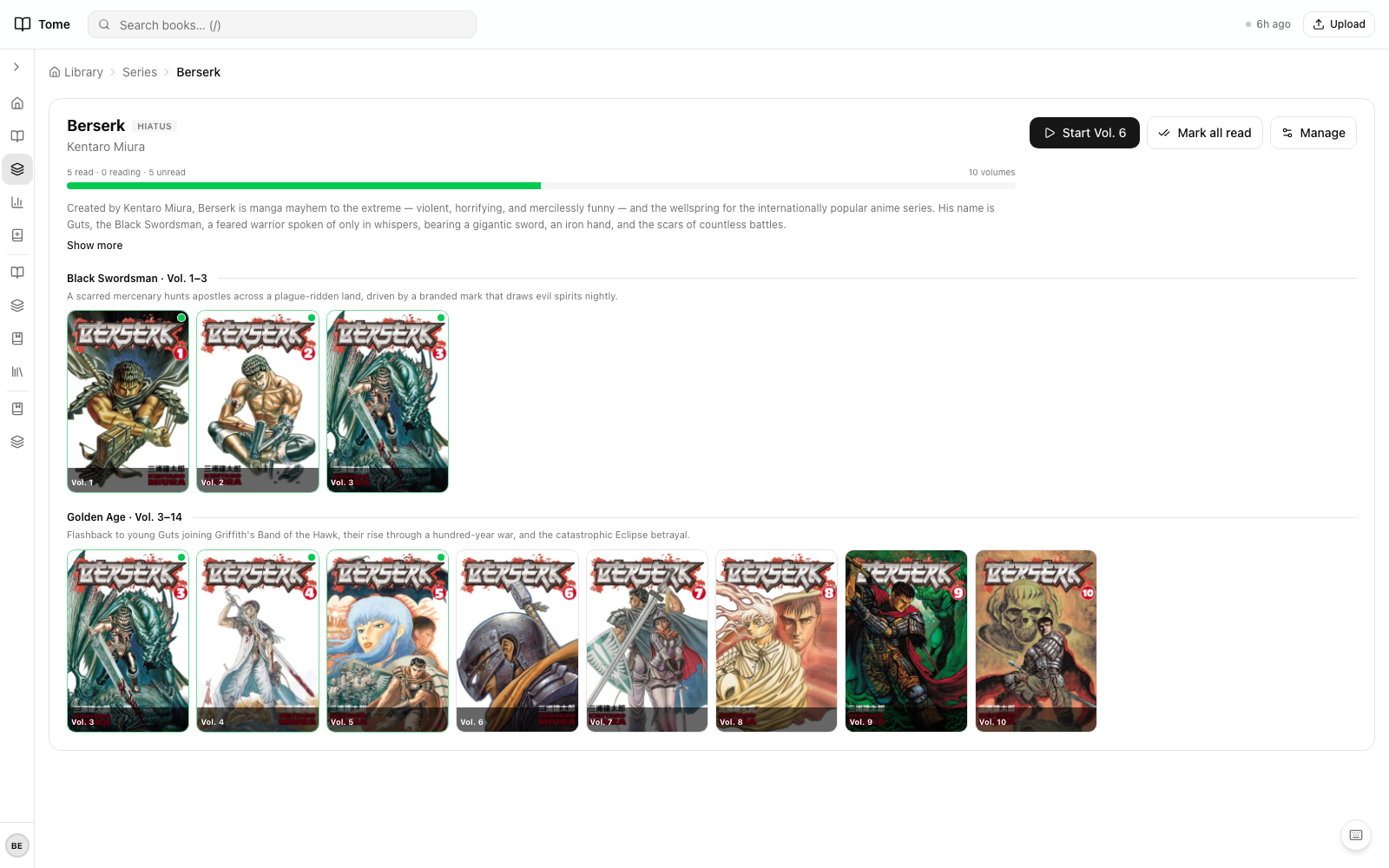
Every series gets its own page at /series/{name}. It shows:
- A grid of all volumes, in order
- Reading progress per volume (unread / reading / read), aggregated into a series-wide progress bar
- A status badge — ongoing, finished, hiatus, or unknown — pulled from
SeriesMeta - If arcs are defined, volumes group into arc sections with a per-arc description
Arcs
Arcs are how you subdivide a long series. Berserk's 40+ volumes split naturally intoBlack Swordsman, Golden Age, Conviction, etc. — defining those as arcs lets readers see structure instead of an undifferentiated wall of 40 covers.
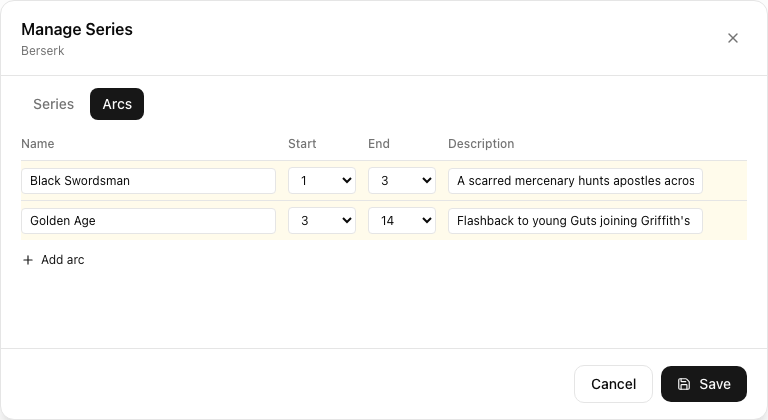
Creating arcs
- Open the series page as an admin.
- Click Manage arcs in the header.
- Add an arc: name, start volume, end volume, optional description.
- Arcs can be inclusive ranges (e.g. 1–3 means volumes 1, 2, and 3) and can use fractional indices for half-volumes.
- Volumes outside any arc still show up in a default "Other volumes" section.
Series status
A series can be marked ongoing, finished, hiatus, orunknown. The badge appears on the series page and on the dashboard's series grid. Admins set status manually, or let Scribe populate it from LLM knowledge via /scribe series <name>.
The "No Series" bucket
Standalone fiction — most western novels — ends up here. It's a virtual sidebar entry, not a real series; the books inside it still have all the usual library/type assignments.