Admin tools
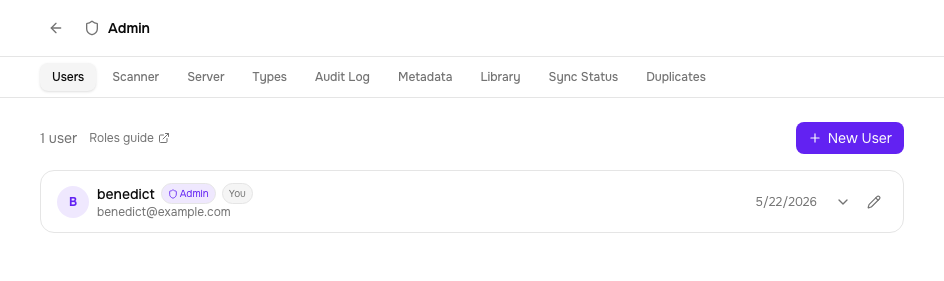
The admin panel (/admin) has tools for maintaining a clean library at scale: duplicate detection, library health checks, word-count backfill, and an Email tab for Send to Device. All admin-only.
Duplicate detection
Tome scans the library for potential duplicates using four strategies, from most to least confident:
| Strategy | What it matches | Use case |
|---|---|---|
| Content hash | Identical file contents | Exact same file imported twice |
| ISBN | Same ISBN across books | Different files of the same edition |
| Author + series + index | Same author, series name, and volume number | Different formats of the same volume (EPUB + CBZ) |
| Fuzzy title + author | Title similarity > 85% with same author | Slightly different titles ("Vol. 1" vs "Volume 1") |
Resolving duplicates
Resolution works in one pass: for each group, pick the book to keep and queue an action, then apply everything with a single Apply All. Nothing happens until you confirm, and a summary afterwards reports what was applied and anything that failed. Three actions are available per group:
- Merge — fold the other copies into the kept book. Files, tags, library memberships, and reading status carry over. File entries whose file is missing from disk are dropped rather than carried along.
- Delete Others — keep the selected book and delete the other copies, including their files on disk. Useful when the copies really are redundant files, not alternate formats worth merging.
- Dismiss — mark the group as not-a-duplicate. Dismissed pairs are stored permanently and excluded from future scans.
Copies whose file no longer exists on disk are badged MISSING on their format chip, so dead entries are easy to tell apart from the real copy before you decide.
Library health
The Library Health tab scans the filesystem for two kinds of problems: books whose on-disk path doesn't match their expected location based on current metadata, and orphaned entries — books whose file no longer exists on disk at all.
Orphaned entries
If files were deleted or moved outside of Tome (from a shell, another tool, or a cleanup gone wrong), their database entries stay behind: the books error on open, and re-importing the same file gets skipped as a duplicate of the dead entry. The scan lists every such entry with a badge showing what removal would do: book entry will be removed when no file is left, or file entry only when the book keeps another file that still exists.
Remove Dead Entries (confirm-gated) cleans them up in one click — dead file entries are removed, and books left with no files are deleted entirely. Entries whose file actually exists on disk are always refused: this action only ever touches the database, never your files.
Misplaced files
Path mismatches happen when you rename a series, change an author, or import books before their metadata was corrected.
Misplaced files are grouped by series and author. For each one, Tome shows the current path and where it should be. You can:
- Preview — dry-run the reorganisation to see what would move
- Reorganise — move files to their correct paths and clean up empty folders
Cover audit
Admin → Covers lists books whose covers are missing, unreadable, or genuinely low-resolution (real thumbnails — the threshold is chosen so standard-source covers pass), with dimensions shown. Books with no cover at all offer a one-click auto-fix that applies the first cover-search candidate — safe, since there is nothing to downgrade. Low-resolution covers deliberately don't auto-fix (a blind refetch could make them worse); their rows deep-link to the book page, where the cover picker shows candidates to judge by eye.
Instance backup & restore
Admin → Server → Instance backup downloads everything Tome knows in one archive: a consistent snapshot of the database (safe to take while the server runs) plus the cover cache and a manifest. Book files are not included — they live on disk and belong to your own backups.
Restoring is deliberately two-phase: upload an archive, type RESTORE to arm it, and the swap happens at the next server restart — never under a live database. The current database is kept alongside astome.db.pre-restore-<timestamp>, a staged restore can be cancelled any time before the restart, and an invalid archive is rejected at upload. Backup downloads and every restore step land in the audit log.
Word counts
Tome records each EPUB's word count, shown in the Details panel on the book page. New uploads are counted automatically as they're added — the Word Countstab is only for backfilling books that were in your library before the feature existed.
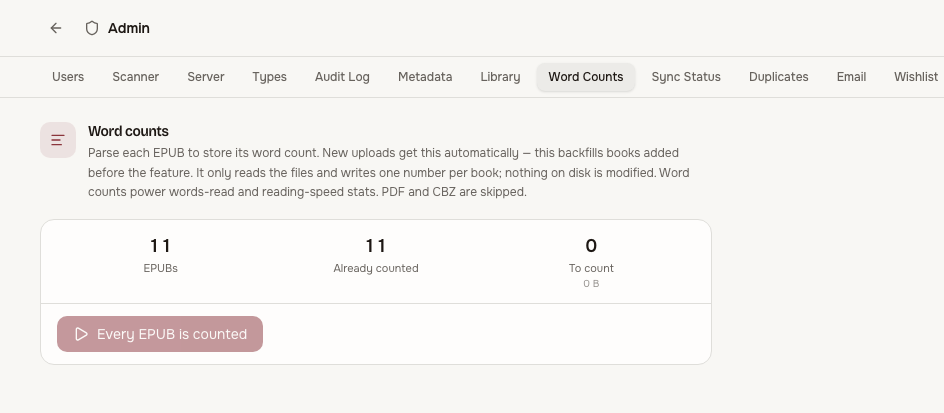
The tab shows how many EPUBs you have, how many already have a count, and how many are still pending. Start the backfill and it runs in the background: progress, an ETA, and the running word total update live. You can leave the page — it keeps going — and come back to a stop button and a final summary.
- EPUB only. PDFs and comics (CBZ/CBR) don't get a word count.
- CJK aware. Chinese, Japanese, and Korean text is counted per character so those titles aren't undercounted.
- Resumable. Stop any time, or restart after a server restart — it only processes books that still need a count, so re-running just finishes the rest.
- Retry. A handful of EPUBs have malformed packaging that the normal parser rejects; Tome falls back to reading the text straight from the file. Anything still uncounted is reported, and a Retry failed button re-runs just those.
Email (Send to Device)
The Email tab shows SMTP status (configured or not, with host/port/from), aSend test email button, every user's saved devices, and recent send history — who sent which book to which device, and whether it succeeded. SMTP itself is configured via environment variables; see Send to Device.
Audit log
Admin → Audit Log records who did what, when: user management, book deletions and uploads, metadata edits, downloads (single and bulk), credential lifecycles (API tokens, OPDS PINs, KOReader plugin keys, notification channels — never the secrets themselves), backup and restore steps, imports, and curation changes. Reads and device sync telemetry are deliberately not logged — they would flood the trail without forensic value.