Hardcover sync
Link your personal Hardcoveraccount and Tome keeps your profile up to date as you read: ratings push shortly after you change them, progress goes out in batches, and finished books land with their finish date.
What's Hardcover?
Hardcover is a social book-tracking site — the community-run Goodreads alternative. It's indie and supporter-funded rather than ad-funded, built in the open with a public roadmap, and it treats its users like adults: your data is yours, imports from Goodreads and StoryGraph are first-class, and there's a proper GraphQL APIthat's free for personal use — which is exactly what makes this integration possible. If you track your reading anywhere public, it's the place we'd point you to: sign up athardcover.app, follow a few readers, and your Tome library does the rest of the bookkeeping.
Linking your account
Open Settings → Hardcover and paste your personal API token (theGet token link takes you to the right Hardcover page). This token is yours, per user — it is independent of the server-wide TOME_HARDCOVER_TOKEN the admin may have set for metadata fetch, and it is stored encrypted at rest.
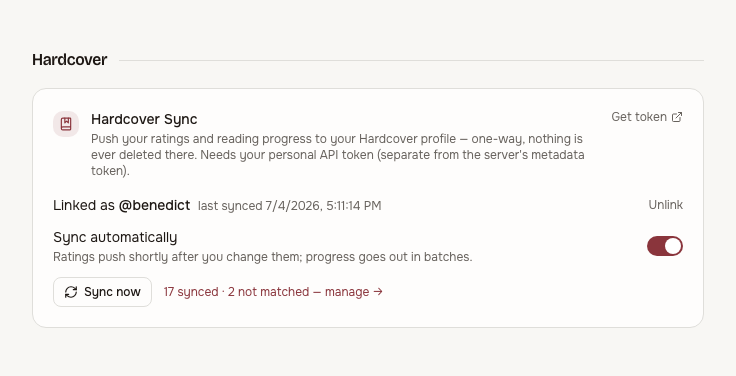
Linking and syncing are separate switches: you can stay linked but pause pushes with theSync automatically toggle. Sync now runs a full pass on demand.
What syncs
- Ratings — including half-stars (Hardcover supports them natively). Pushed within about half a minute of the change.
- Status — reading and read. Unread and shelved books are never pushed.
- Progress — as pages of the matched edition (
round(pct × pages)), forward-only: a device that wakes up with an older position can't rewind your public profile. Editions without page data sync status only. - Finish dates — a finished book carries the date you finished it in Tome.
The sync engine is a reconciler: it compares your current state against what was last pushed and sends only the difference. First link on an existing library is just a big diff — your whole read history backfills over the next cycles, respecting Hardcover's rate limits.
How books are matched
Matching runs per book, ISBN first: an exact ISBN lookup that is still sanity-checked against the catalogue (stored ISBNs are sometimes for the wrong edition or even the wrong volume). Books without a usable ISBN fall back to a strictly guarded title + author search — volume-aware for series records, format-guarded so a manga never matches its novel counterpart, and biased towards the record the community actually uses. When nothing passes the guards, Tome refuses to guess: a wrong match would write your reading data onto a stranger's book.
Within the matched book, the pinned edition is chosen to agree with your book's language and to be a text edition with page data — so an ISBN that technically belongs to the German translation or the audiobook still lands on the edition you actually read.
The Hardcover page
Hardcover in the sidebar lists every sync candidate — each book you have a reading status for — with its cover, sync state, rating, and a link to the exact matched record on hardcover.app.
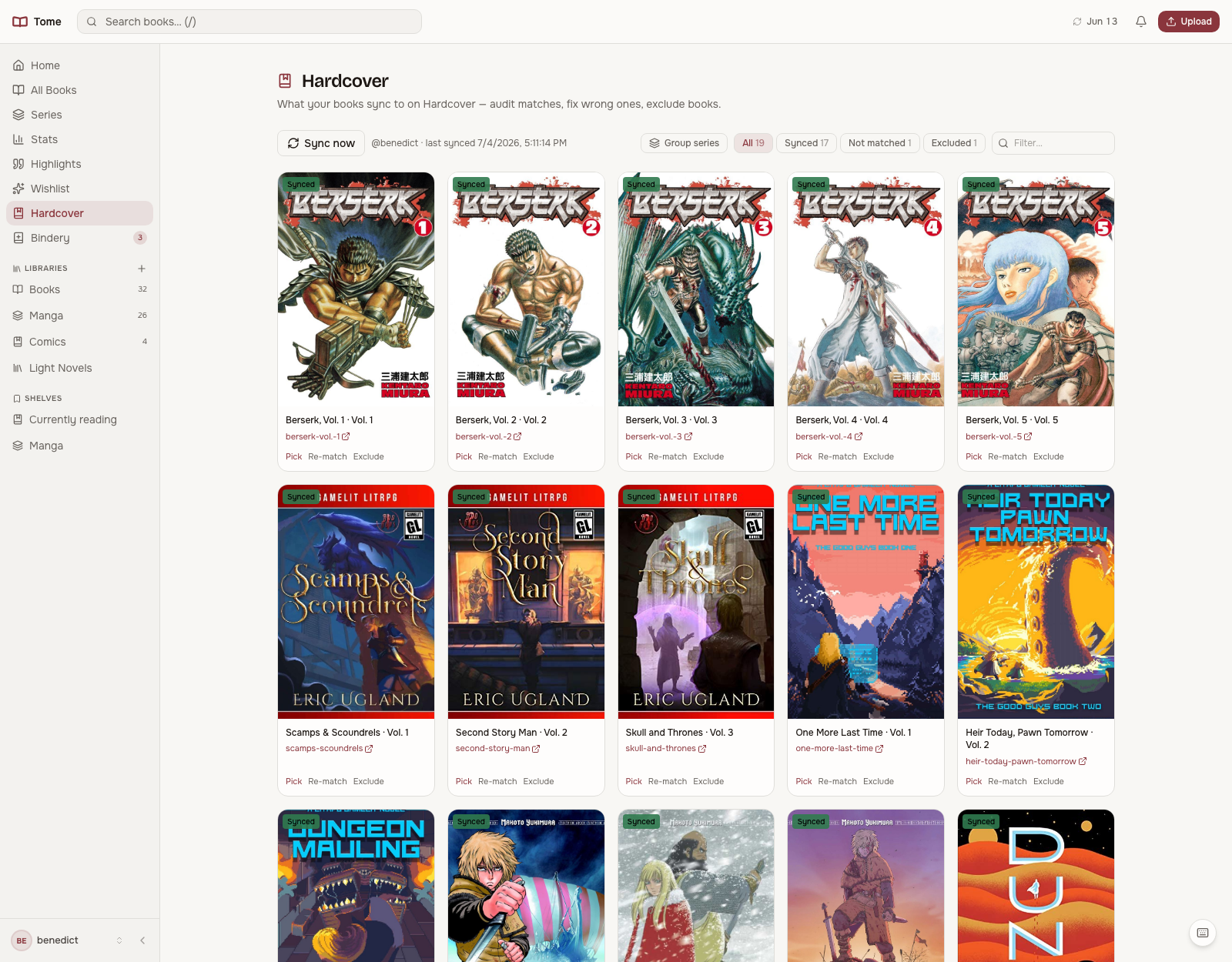
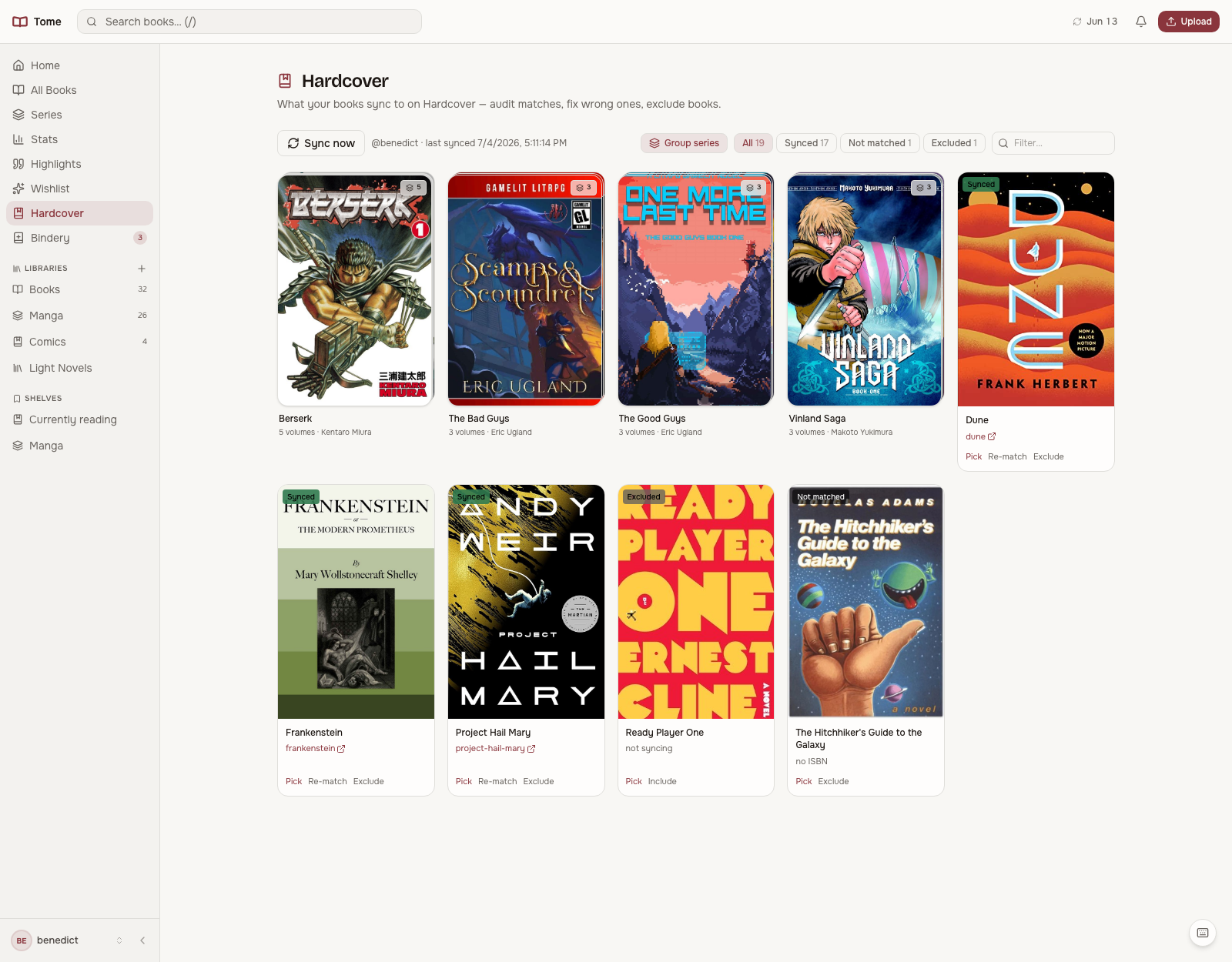
The state filters across the top show at a glance what's synced, what'snot matched, and what you've excluded. Group series stacks volumes the same way All Books does:
Fixing a wrong match
Every book has three actions:
- Pick — search Hardcover yourself and pin the right record. Manual picks are never second-guessed: no re-match or metadata edit will overwrite them.
- Re-match — clear the current match (removing the profile entry Tome created, never one that was already yours) and let the next cycle try again. Do this after fixing a bad ISBN or title.
- Exclude — stop syncing this book entirely, e.g. a private read you'd rather keep off a public profile. Nothing is removed from Hardcover, so excluding a book keeps it off your profile only if it has not synced yet. One that is already there stays and simply stops receiving updates; delete it on Hardcover yourself if you want it gone.
Page numbers on the book page
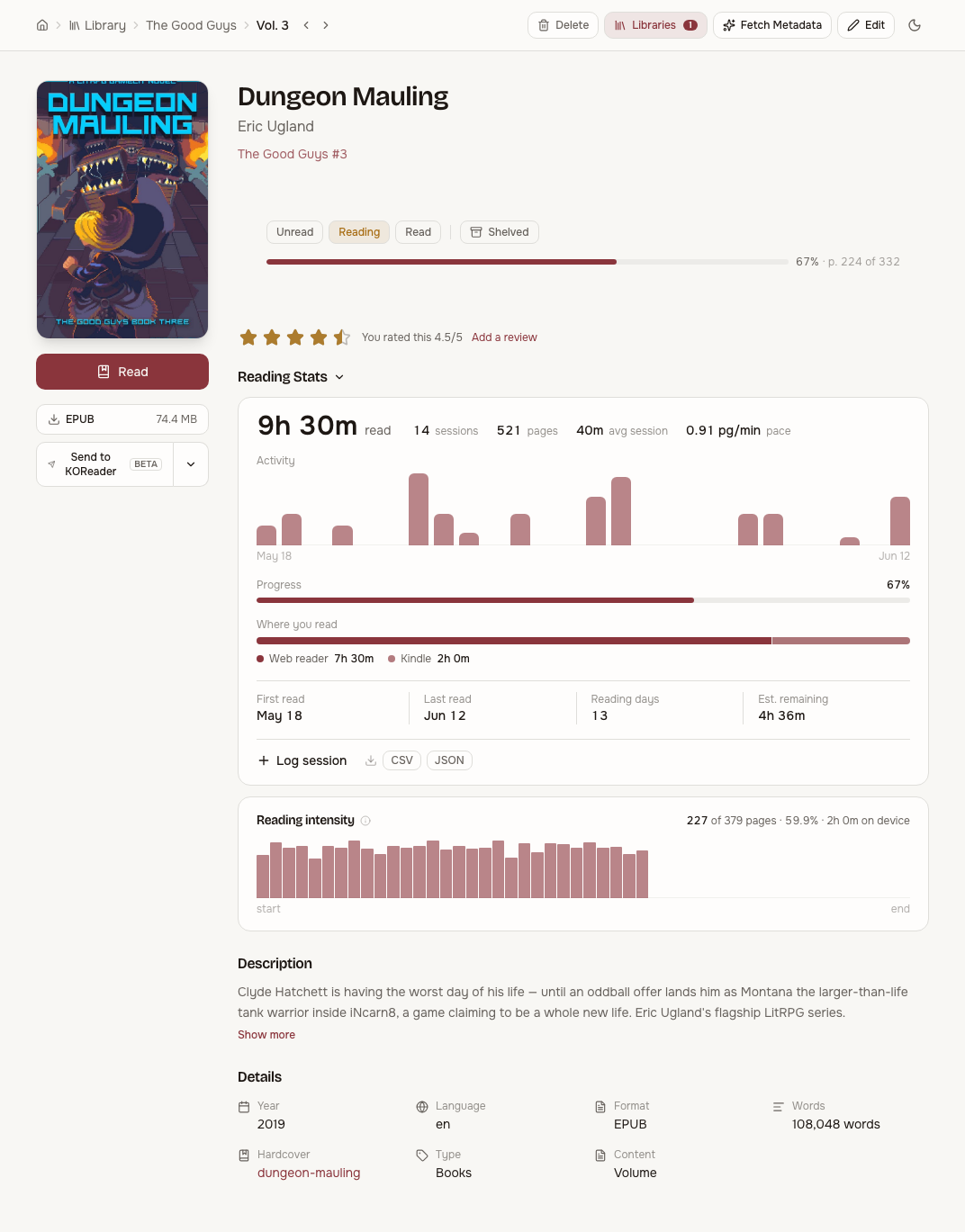
A matched edition brings a real page count with it, so the book page's progress bar gains a font-size-independent "p. 224 of 332" alongside the percentage:
Configuration
| Variable | Default | Purpose |
|---|---|---|
TOME_HARDCOVER_SYNC_ENABLED | true | Server-wide kill switch — when false the feature is hidden for everyone |
TOME_HARDCOVER_TOKEN | — | Unrelated to sync: server-wide token for metadata fetch and wishlist series search |
Everything else is per user: each person links their own token in Settings and syncs to their own profile. See the full env var list inConfiguration.